TEST 012
10 Claude Code setup steps Anthropic recommends, in the order I'd do them
Short answer
Start by giving Claude a way to check its own work, because Anthropic calls that its single most useful tip. Then add one step at a time: plan only when the job is not obvious, keep a short notes file, and clear or rewind the chat when it drifts. The permissions, tools, hooks and loops can wait until you need them.
These are the setup steps Anthropic recommends for Claude Code, in the order I'd do them, based on its documentation as of 15 Oct 2026. Start with whichever of steps 1 to 5 apply to your work. Steps 6 to 10 are for later, or if you code. Do step 1 today, then add one more whenever Claude trips over the same thing twice.
A few words you will see: context is Claude's short-term memory for the current chat, and it fills up as you work. A prompt block is something you copy and paste, replacing the parts in [square brackets]. Slash commands like /clear go in the chat box. Lines that start with claude go in Terminal, a separate app on your computer (not Claude's window). "Your project" is the folder you open Claude in.
Start here
01. Give Claude a way to check its work
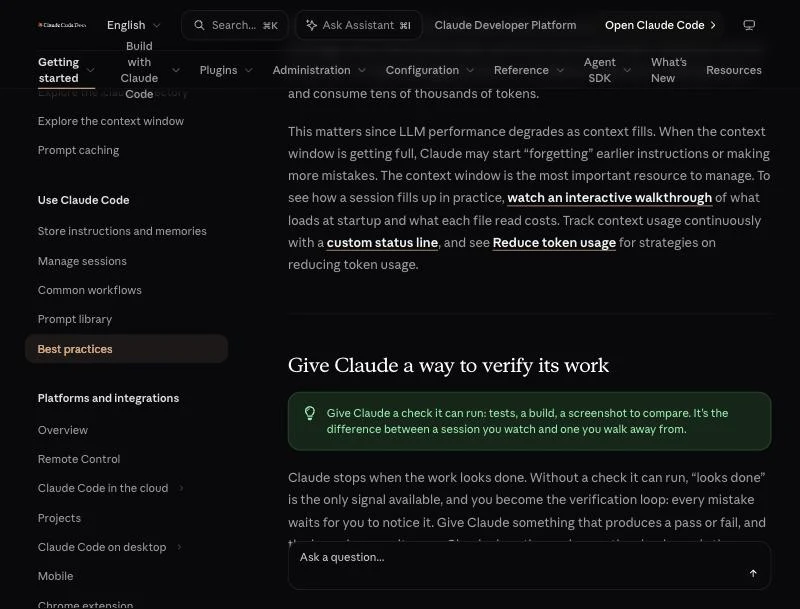
Anthropic's number one tip. If Claude has nothing to check against, "looks done" is the only signal it has, so you become the checker. Give it something it can run or compare and it keeps going until the check passes. For code that is a test, a build, or a screenshot to compare. For anything else, try a checklist: say what the finished thing must include and ask Claude to show evidence for each item.
Write [what you want]. Here are two examples of correct output: [example 1] and [example 2]. Run the tests after you finish and show me the output.Write [what you want]. It must include [thing 1], [thing 2] and [thing 3]. When you finish, go through that list, tell me which items you met, and show me where.02. Plan first, but only when it is not obvious
Press Shift+Tab until the bar at the bottom shows plan mode. Claude normally reads and plans without changing anything, and you approve the plan before it builds. Without a plan, Claude can start building the wrong thing.
Anthropic's rule for skipping it: if you could describe the change in one sentence, just ask for it. A typo or a rename.
03. Say exactly what you want
Name the file, the symptom, and an example to copy. Vague prompts cost you corrections. The same goes for non-code work: name the document, what is wrong with it, and what good looks like.
Users report login fails after session timeout. Check the auth flow in [folder], especially token refresh. Write a failing test that reproduces the issue, then fix it.Rewrite the email below so it is shorter and friendlier. It takes too long to get to the point. Keep the same facts, and match the tone of this example: [paste an email you like]. [paste your email]Type @ before a file name to point Claude at it, and paste screenshots straight into the message.
04. Keep a short notes file (CLAUDE.md)
CLAUDE.md is a notes file you can add to your project; Claude reads it at the start of every chat in that project. Run /init inside your project folder and it creates a starter, or suggests improvements to the file you already have. Put in what Claude can't guess: how to run your tests, rules that differ from the defaults, things it should never touch. Leave out anything it can work out from your files.
- Run the tests with: npm test
- Write in plain English, no jargon
- Never edit files in the /archive folder
Anthropic's test for every line: would removing it cause Claude to make mistakes? If not, cut it. Its Help Center says to aim for under roughly 200 lines. When Claude gets something wrong twice, add one line. Claude treats the file as guidance, not a guarantee, so keep it short.
Add one line to CLAUDE.md so you don't make that mistake again: [what went wrong, and what to do instead].05. Manage the chat like a workspace
- Type /clear between unrelated jobs. It empties the chat; your CLAUDE.md notes stay.
- Corrected Claude twice and it is still wrong? Type /clear and start again with a better prompt. The chat is now full of failed attempts.
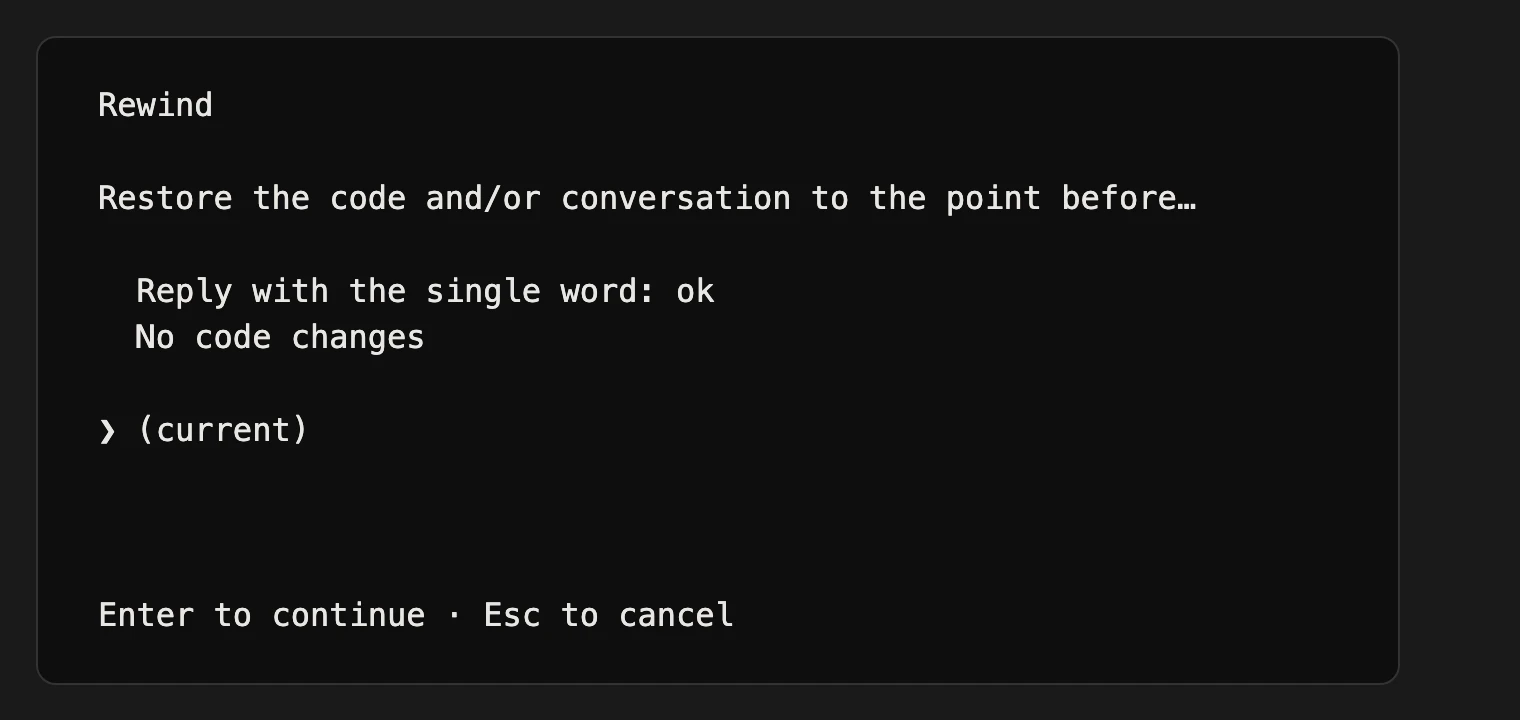
- Press Esc twice, or type /rewind, to go back to an earlier point: the chat, your files, or both.
- Type /compact to squeeze a long chat into a summary and free up space, and /btw for a side question that should not stay in the chat.
- Type /rename to name a chat so you can find it later.
Later, or if you code
Steps 6 to 10 matter more once Claude is doing bigger jobs for you. If you don't code, skip to "Things to take note of".
06. Set permissions once
In manual mode, Claude asks before most edits and commands. After the tenth "allow?" you stop reading them. Two ways to cut the interruptions without giving up control: /permissions lets you pre-approve safe commands you use all the time (your test command is a good first one), and /sandbox lets Claude work freely inside a walled-off area. Auto mode goes further: a separate model reviews most actions and blocks only what looks risky. On recent versions (v2.1.283 or later, in the terminal and VS Code) it is the starting mode.
07. Connect your tools
Claude can reach your other apps through connectors (the technical name is MCP). Once one is added, you can ask Claude to read a Notion page or a Figma design instead of pasting it in. Add one by typing this in Terminal, not the chat:
claude mcp add --transport http notion https://mcp.notion.com/mcpIf you use GitHub, install its small command-line tool, gh, and tell Claude to use it. That lets it open pull requests and read issues.
08. Add hooks for things that must happen every time
A hook is a small automatic action that runs at a set moment, like a spellcheck that runs after every edit. CLAUDE.md is advice; a hook runs at that moment every time. You do not have to write it yourself: ask Claude.
Write a hook that runs eslint after every file edit.eslint is a program that checks code for mistakes; swap in whatever checker you use. Type /hooks to see what is set up.
09. Save repeat jobs as skills, and hand research to subagents
A skill is a saved routine for a job you repeat, like "write the weekly update in my format". Claude loads it only when it is relevant, or you call it by name with a slash. Ask Claude to create one, or add a folder with a SKILL.md file in .claude/skills/.
A subagent is a helper that works in its own separate chat and reports back a summary, so your main chat stays clean.
Use subagents to investigate how [part of the project] handles [thing], and tell me what I can reuse.10. Scale up: a reviewer, parallel sessions, loops
Start a second Claude to review the first one's work. It has not seen the reasoning behind the change, so it checks the result fresh. To run a few Claudes side by side without them stepping on each other, give each its own worktree (a separate copy of your project) with claude --worktree [name]. Anthropic's tips call running several sessions in parallel the biggest productivity unlock.
Then loops: /loop runs a prompt on repeat while your session is open, /schedule runs one in the cloud, and /goal keeps Claude working until a condition you set is met, can't be met, or an error needs your attention. A repeating /loop expires on its own: the scheduling docs say after seven days, while the tips page says up to three.
More to try
I want to build [short description]. Interview me in detail using the AskUserQuestion tool. Ask about the hard parts I might not have considered, then write a complete spec (a plan document) to SPEC.md.Grill me on these changes and don't make a PR (a proposed change to the project) until I pass your test.Prove to me this works.Knowing everything you know now, scrap this and implement the elegant solution.Review [file]. Look for edge cases and anything that doesn't match how the rest of the project does it.Also worth a minute: /simplify after a change, /statusline to see how full the chat is and what it costs, and /voice, which Anthropic says is about three times faster than typing.
Things to take note of
- Add one step at a time. The step to add is the one for the mistake Claude just made twice.
- Keep CLAUDE.md short, and prune it when Claude starts ignoring it.
- Always give Claude something to check against. It is the difference between a chat you watch and one you can walk away from.
- Command names and defaults change between versions. If one is missing, check Anthropic's docs for your version.
- Anthropic's own guide calls these starting points, not rules. Notice what works for your project and keep that.
Questions
Do I need to code to use these?
Not to start. Steps 1 to 5 are mostly things you type to Claude in plain language, plus a few short commands. Some later steps use Terminal, and Claude can write the technical parts for you.
Which step matters most?
Step 1. Anthropic's own tips page calls giving Claude a way to check its work the number one tip, because otherwise you become the checker.
What if I have no tests to give Claude?
Give it a checklist of what the finished thing must include and ask it to confirm each item. Ask it to show evidence for each item, so you are not just taking its word for it.
Is plan mode out of date now?
Not for big or unfamiliar changes. Anthropic's guide still recommends planning when you are unsure of the approach, when several files change, or when the code is new to you. For small, clear jobs, skip it.
Do I need git?
Not to start. It is worth having, though, because rewind only covers the edits Claude made itself, not commands it ran or changes you made.
Can Claude run jobs while my laptop is closed?
Cloud scheduled tasks can. Anthropic's tips list a cloud schedule command that runs even when your laptop is closed, while the repeat command runs in a session on your own machine.